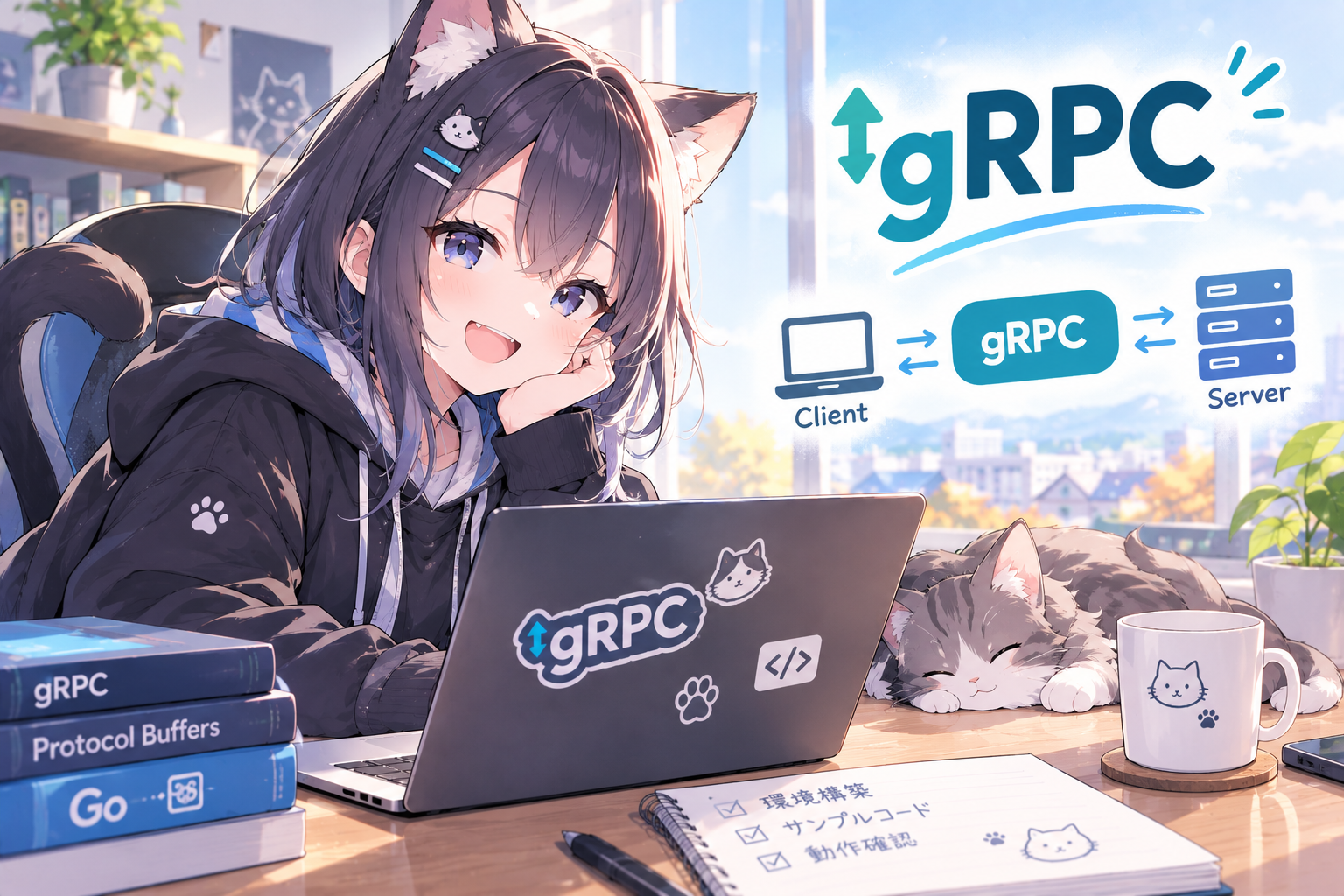
求人情報を見ていると、Go言語を利用した開発現場でgRPCを利用した通信もセットで出てくることも多いなと感じることがあり、時間がある無職中に触ってみることにしました
※ちなみに先頭にgがついていることからGo専用の通信プロトコルに見受けられてしまいますが、Go専用というわけではありません
まずは環境構築
今回はgrpc.ioのQuick Startに沿って準備を行います
Go言語のインストールはすでに実施済みのため、今回はスキップ(Go未導入の方は上記Quick Startの手順に沿って導入してください)
Protocol Buffer Compilerの導入
gRPCはprotoファイルに仕様を記述し、ソースを生成します
protoファイルのコンパイラを導入します
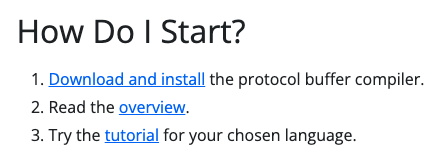
https://protobuf.dev の下部にDownload and Installのリンクがあるのでクリックします
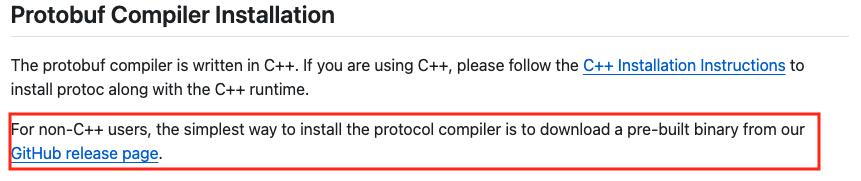
GitHubに飛ぶので、C++ユーザー以外のリンクからGitHubリリースページへ移動します
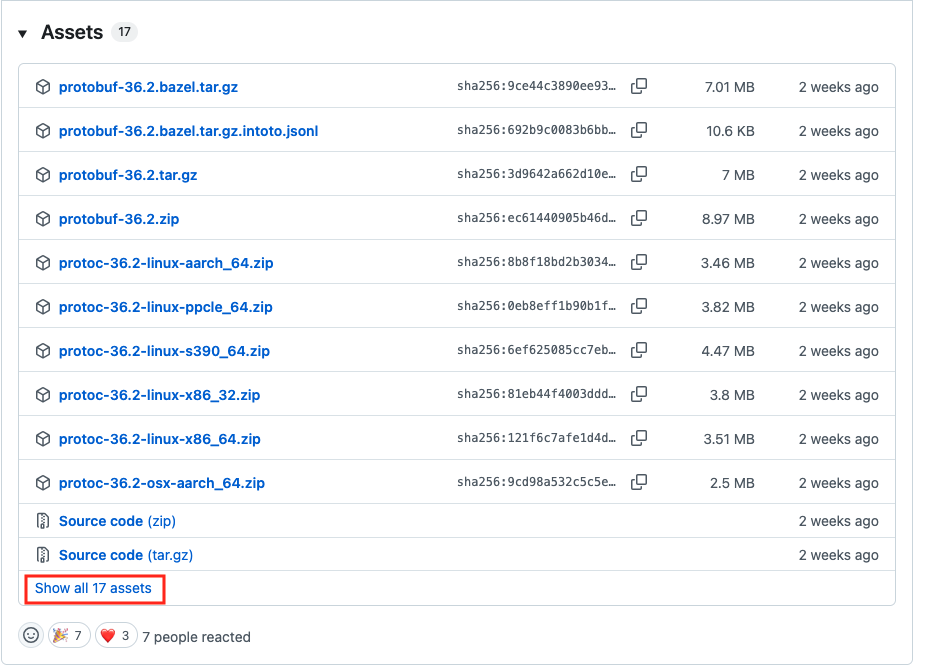
リリースページから自身の環境のバイナリをダウンロードします
自分の環境はIntel Macのため、x86-64のバイナリをダウンロードしました
(一覧にバイナリが存在しない場合、show allのリンクをクリックしてリストを展開します)
Go Pluginの導入
以下のコマンドでプラグインをインストールします
go install google.golang.org/grpc/cmd/protoc-gen-go-grpc@latest環境変数をアップデートして、インストールしたプラグインを認識されるようにします
export PATH="$PATH:$(go env GOPATH)/bin"サンプルを実行してみる
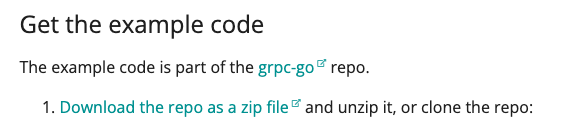
以下のリンクからリポジトリをダウンロードします
(git cloneでもok)
ダウンロードしたzipを展開します
自分はAntigravity IDEを利用しているため、プロジェクトフォルダの配下に展開しました
展開したフォルダ内にあるhelloworldを確認します
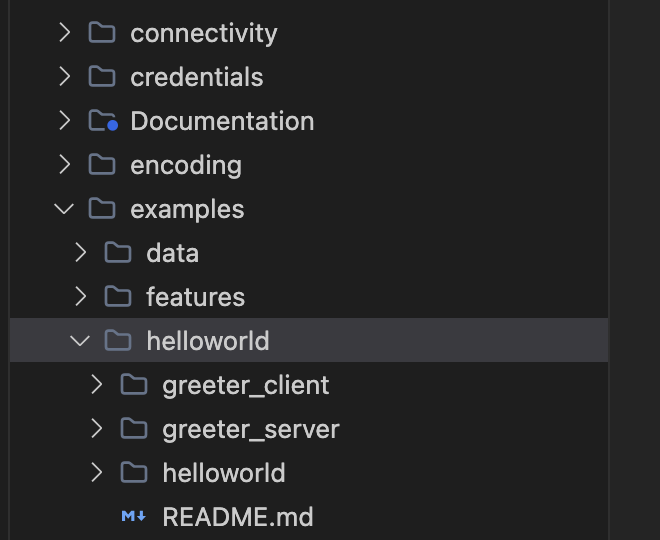
実際にサンプルを動かしてみます
ターミナルをサーバ用、クライアント用で2つ開きます
ターミナルでhelloworldディレクトリに移動し、以下のコマンドでサーバーを起動します
go run greeter_server/main.goもう一つのターミナルでも同様にhelloworldディレクトリに移動し、以下のコマンドでクライアントを実行します
go run greeter_client/main.go正常に動作すると、各ターミナルにそれぞれ以下のメッセージが表示されます
サーバー側実行結果

クライアント側実行結果

無事Hello Worldが表示され、サーバー側でもリクエスト受信のログが残っていました
サンプルの中身を見てみよう
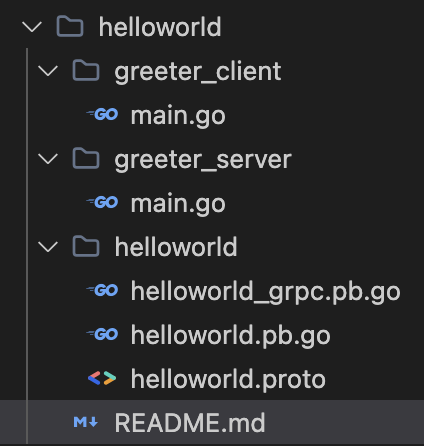
HelloWorldサンプルに関連するプログラムファイルは5つで、そのうち3つが編集(作成)が必要なファイルになります
人が作成するファイル
helloworld.proto
greeter_client/main.go
greeter_server/main.go
(他ファイルは自動生成)
helloworld.proto – スキーマ定義ファイル
protoファイルはgRPC通信で使う「データの構造」や「APIのメソッド(インターフェース)」を定義する設計図(スキーマ)となっており、このファイル内容を元に各プログラミング言語向けの記述を生成します
サンプルの中身を見ていきます
各セクションの解説はコメントにて記載しています
// Copyright 2015 gRPC authors.
//
// Licensed under the Apache License, Version 2.0 (the "License");
// you may not use this file except in compliance with the License.
// You may obtain a copy of the License at
//
//     http://www.apache.org/licenses/LICENSE-2.0
//
// Unless required by applicable law or agreed to in writing, software
// distributed under the License is distributed on an "AS IS" BASIS,
// WITHOUT WARRANTIES OR CONDITIONS OF ANY KIND, either express or implied.
// See the License for the specific language governing permissions and
// limitations under the License.


// Protocol Buffersのバージョン宣言 最初に記述する必要がある!
// 記述がない場合 proto2として扱われる
syntax = "proto3";

// 言語ごとの生成オプション
// ここで生成後コードのパッケージ名などを設定する
// (パッケージ名は自分のプロジェクトフォルダの構成に合わせて設定する)
option go_package = "google.golang.org/grpc/examples/helloworld/helloworld";
option java_multiple_files = true;
option java_package = "io.grpc.examples.helloworld";
option java_outer_classname = "HelloWorldProto";

// protoの名前空間。生成されるプログラム言語のパッケージとは別物で、
// gRPCの通信パスの一部として利用される
package helloworld;

// Serviceはメソッドの集まりで、Goのinterfaceに相当する宣言
// ここで記載したメソッドを、実際に各プログラム言語にて実装する
// 引数と戻り値の型はこの後登場するmessageにて定義する
// The greeting service definition.
service Greeter {
  // Sends a greeting
  rpc SayHello (HelloRequest) returns (HelloReply) {}
}

// messageは構造体のようなもので、やり取りするデータの形式を定義する
// フィールド番号は一度決めたら「変更は不可」となる(古いクライアントとの互換性を保つため)
// The request message containing the user's name.
message HelloRequest {
  string name = 1;
}

// The response message containing the greetings
message HelloReply {
  string message = 1;
}
protoファイルができたら、実際にコードを生成します
まずはツールとプラグインをインストールします
brew install protobufGoプラグインもインストールします
go install google.golang.org/protobuf/cmd/protoc-gen-go@latest
go install google.golang.org/grpc/cmd/protoc-gen-go-grpc@latest
環境変数への追加を行います
# PATHに追加(~/.bashrc などに書いておく)
export PATH="$PATH:$(go env GOPATH)/bin"
protoファイルが存在するフォルダで、以下のコマンドを実行
source_relativeの指定は.protoファイルの位置を基準に、どのパスに生成ファイルを出力するのかを指定するためのオプション
(ここでは.指定のため、同一フォルダに出力される)
protoc \
  --go_out=. --go_opt=paths=source_relative \
  --go-grpc_out=. --go-grpc_opt=paths=source_relative \
  helloworld/helloworld.proto
上記コマンドを実行し、helloworld.pb.go helloworld_grpc.pb.goが生成されていればOK
go mod tidyコマンドを利用して依存性を解決すればビルドが行なえます
コードを記述する(サーバー)
自動生成されたコードを元にサーバー側を実装します
ポイントになる部分はコメントで記載しています
/*
 *
 * Copyright 2015 gRPC authors.
 *
 * Licensed under the Apache License, Version 2.0 (the "License");
 * you may not use this file except in compliance with the License.
 * You may obtain a copy of the License at
 *
 *     http://www.apache.org/licenses/LICENSE-2.0
 *
 * Unless required by applicable law or agreed to in writing, software
 * distributed under the License is distributed on an "AS IS" BASIS,
 * WITHOUT WARRANTIES OR CONDITIONS OF ANY KIND, either express or implied.
 * See the License for the specific language governing permissions and
 * limitations under the License.
 *
 */

// Package main implements a server for Greeter service.
package main

import (
	"context"
	"flag"
	"fmt"
	"log"
	"net"

	"google.golang.org/grpc"
    // 生成したプロトコルバッファのインポート
    // 別名でpbとしている(Protocol Bufferの略)
	pb "google.golang.org/grpc/examples/helloworld/helloworld"
)

var (
	port = flag.Int("port", 50051, "The server port")
)

// server is used to implement helloworld.GreeterServer.
// GreeterServerを実装するための構造体
// UnimplementedGreeterServerを埋め込む理由は2つ
//  UnimplementedGreeterServerを埋め込まないとビルドが通らない
//  埋め込むことで未実装のメソッドが存在してもビルドが壊れずUnimplementedエラーが返却される
type server struct {
	pb.UnimplementedGreeterServer
}

// SayHello implements helloworld.GreeterServer
// 実装部分
// 引数のinにクライアントから送信されたデータが構造体として復元され、格納されている
// 戻り値はprotoファイルのmessageで定義したHelloReply形式で生成する
// contextについては未使用のため_指定(メタデータなどが可能されている)
func (s *server) SayHello(_ context.Context, in *pb.HelloRequest) (*pb.HelloReply, error) {
    // Getterを利用することで、inがnilでもパニックにならず、空文字を返す
	log.Printf("Received: %v", in.GetName())
	return &pb.HelloReply{Message: "Hello " + in.GetName()}, nil
}

// メイン処理
// gRPCサーバーの起動は4段階
// 1. net.Listenでポートを開く
// 2. grpc.NewServer()でサーバーを作る
// 3. pb.RegisterGreeterServerで実装を登録する(これをしないとUnimplementedエラーが発生する)
// 4. s.Serve(lis)でリクエスト待ちとなる
func main() {
	flag.Parse()
	lis, err := net.Listen("tcp", fmt.Sprintf(":%d", *port))
	if err != nil {
		log.Fatalf("failed to listen: %v", err)
	}
	s := grpc.NewServer()
	pb.RegisterGreeterServer(s, &server{})
	log.Printf("server listening at %v", lis.Addr())
	if err := s.Serve(lis); err != nil {
		log.Fatalf("failed to serve: %v", err)
	}
}
コードを記述する(クライアント)
自動生成されたコードを元にクライアント側を実装します
ポイントになる部分はコメントで記載しています
/*
 *
 * Copyright 2015 gRPC authors.
 *
 * Licensed under the Apache License, Version 2.0 (the "License");
 * you may not use this file except in compliance with the License.
 * You may obtain a copy of the License at
 *
 *     http://www.apache.org/licenses/LICENSE-2.0
 *
 * Unless required by applicable law or agreed to in writing, software
 * distributed under the License is distributed on an "AS IS" BASIS,
 * WITHOUT WARRANTIES OR CONDITIONS OF ANY KIND, either express or implied.
 * See the License for the specific language governing permissions and
 * limitations under the License.
 *
 */

// Package main implements a client for Greeter service.
package main

import (
	"context"
	"flag"
	"log"
	"time"

	"google.golang.org/grpc"
	"google.golang.org/grpc/credentials/insecure"
    // 生成したProtocol Bufferのインポート
    // 同じようにpbの別名を付けている
	pb "google.golang.org/grpc/examples/helloworld/helloworld"
)

const (
	defaultName = "world"
)

var (
	addr = flag.String("addr", "localhost:50051", "the address to connect to")
	name = flag.String("name", defaultName, "Name to greet")
)

func main() {
	flag.Parse()
	// Set up a connection to the server.
    // 接続の管理オブジェクトの作成
    // 引数のinsecure.NewCredentials()はTLSは利用しないと言う指定
    // これはあくまでサンプルなので平文通信で問題ないが、本番では適切なTLS認証情報を設定する
	conn, err := grpc.NewClient(*addr, grpc.WithTransportCredentials(insecure.NewCredentials()))
	if err != nil {
		log.Fatalf("did not connect: %v", err)
	}
    // deferを利用して確実に接続がクローズされるようにする
	defer conn.Close()
    // クライアントスタブの生成
    // SayHelloが実装されている
	c := pb.NewGreeterClient(conn)

	// Contact the server and print out its response.
    // gRPC通信時はtime.Secondでタイムアウトを設定する。これがないと、サーバー側で処理が止まった場合、いつまでもレスポンスを待ち続けてしまう
	ctx, cancel := context.WithTimeout(context.Background(), time.Second)
	defer cancel()
    // SayHello呼び出し。通常の関数の呼び出しに見えるが、HTTP/2通信が行われている
	r, err := c.SayHello(ctx, &pb.HelloRequest{Name: *name})
	if err != nil {
		log.Fatalf("could not greet: %v", err)
	}
	log.Printf("Greeting: %s", r.GetMessage())
}
以上
ざっくりサンプルを見てきました
最後に、REST APIとgRPCを比較したときの主なメリット・デメリットを記載します
gRPCを利用するメリット
・契約(proto)から型安全なコードが自動生成される
・複数言語で契約を共有しやすい(protoファイルから各言語向けのコードを生成できるため)
・軽くて速い(JSON形式のシリアライズより高速)
・互換性を保って進化させやすい(フィールド番号を変更しなければ、過去のクライアントとも互換性を保ちやすい)
gRPCのデメリット
・curl + ブラウザで気軽に試せない(専用ツールを使わないと、メソッドの動作確認ができない)
・学習コストと環境構築の手間
・インフラ周りの注意点が増える(LBがHTTP/2対応、gRPC対応しているかなど)
・外部への公開APIには不向きなことが多い(気軽にためせないため)
・protoファイルの管理が必要
主なメリットとしては通常のREST APIと比較して速度が早いことが挙げられると思います
その反面、外部公開するAPIに対しては使いにくいようです
そのため「全部をgRPCへ」ではなく、使い分けを意識する必要がありそうです
使い分けの例
REST APIを使う:
外部公開APIなど
gRPCを使う
マイクロサービス間における各種通信(内部での通信)など
gRPC、REST APIそれぞれに向いている場面があるため、きちんと使用場面を見極めて利用していきたいですね!